Radar chart
A radar puts each label on its own spoke and joins each series into a shape.
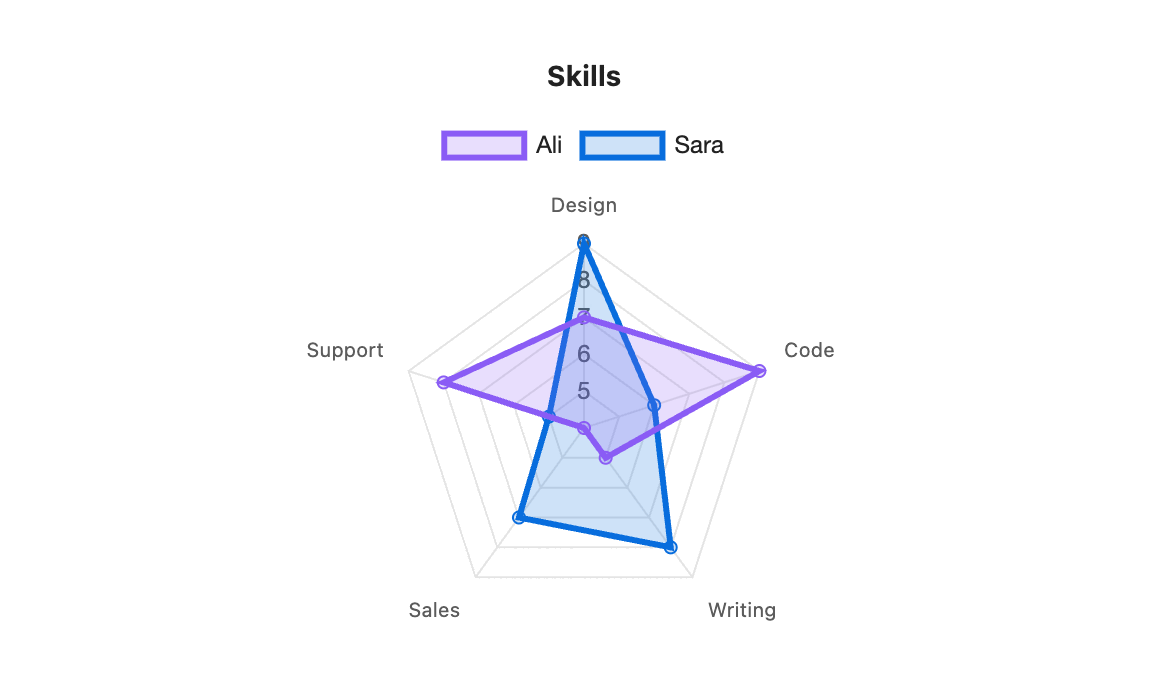
```s-chart
type: radar
title: Skills
---
| Skill   | Ali | Sara |
| ------- | --- | ---- |
| Design  | 7   | 9    |
| Code    | 9   | 6    |
| Writing | 5   | 8    |
| Sales   | 4   | 7    |
| Support | 8   | 5    |
```
When to use it
Use a radar to compare a few series across five or more measures, such as skills, product features or survey scores. Keep the measures on the same scale, or the shape misleads.
Options
| Option | On a radar chart |
|---|---|
type: radar | Required. |
title | Text above the chart. |
legend | top, bottom or none. Shown for two or more series. |
height | Chart height in pixels, 120 to 1200. The radar fits the height. |
colors | One colour per series. The fill is a see-through version of the line colour. |
palette | A palette from settings. |
source, x, y | Draw from note properties. |
stacked, horizontal, x-label and y-label have no effect. The labels on the spokes come from the first column.
How many rows
Three rows make a triangle, which says little. Five to eight rows read best.